
I turned my portfolio into a playground (plug a theme into a display to open it)
My portfolio has three versions now. To switch between them I built Theme Studio, a small canvas where you drag a wire into a display.

title: I turned my portfolio into a playground (plug a theme into a display to open it) published: true description: My portfolio has three versions now. To switch between them I built Theme Studio, a small canvas where you drag a wire into a display. tags: showdev, webdev, nextjs, react cover_image: https://raw.githubusercontent.com/MA-Ahmad/myPortfolio/main/.github/screenshots/theme-studio.png
Hey everyone 👋
Last time I shared my rebuilt portfolio with a terminal theme. It has a third theme now (a notebook one), and I built a small playground just to switch between them 😄
Meet Theme Studio → mahmad.me/theme-studio
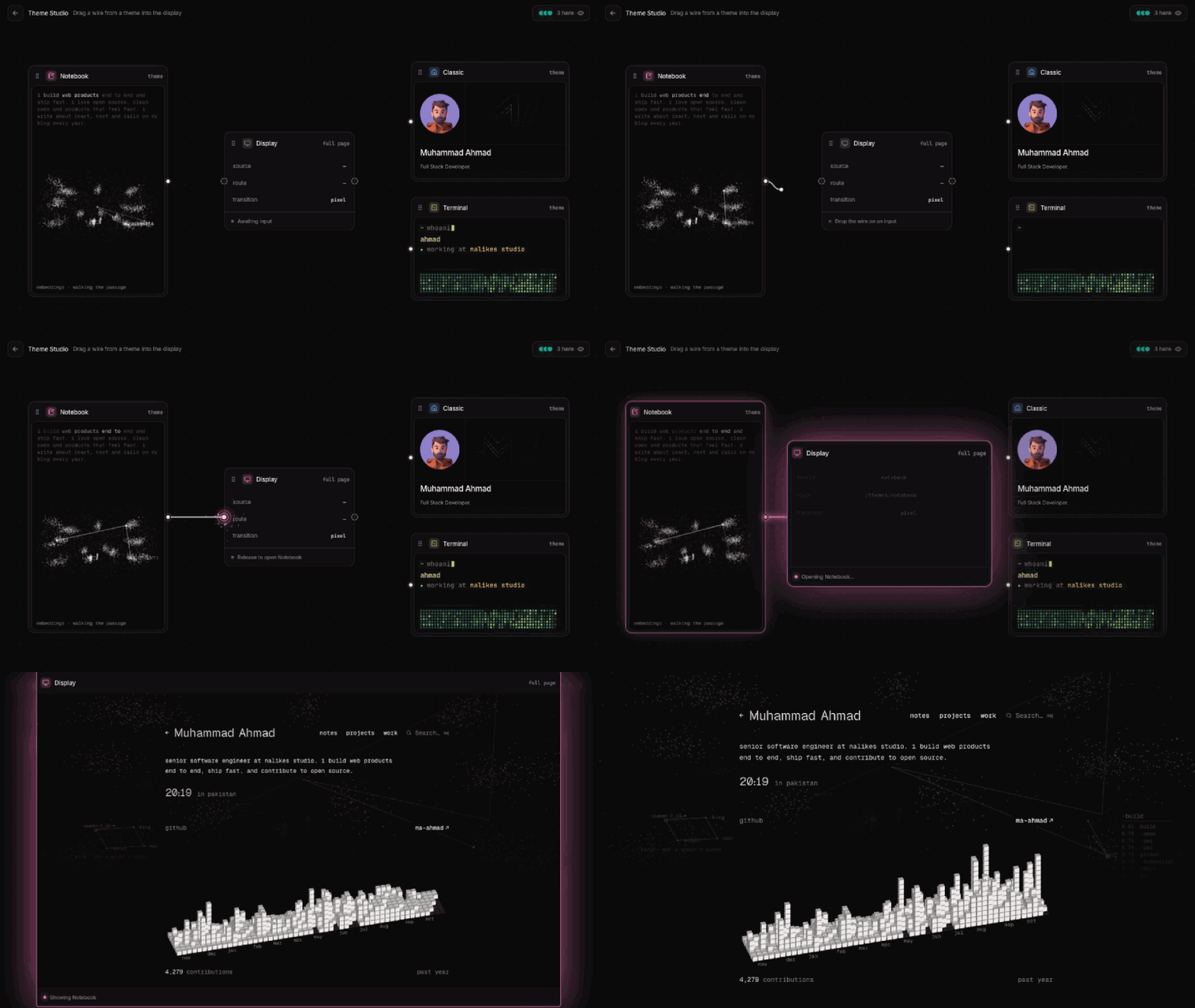
How it works
The three versions of my site are cards on a canvas, with a display in the middle. To open one, you drag a wire from its card into the display, like plugging a cable into an old TV. 🔌
The fun parts
- ⚡ Lightning sparks jump between the wire and the display when you get close.
- 📦 Skill icons ride down the wire once it's plugged in.
- 📺 The screen turns on like an old TV, and then the page opens.
Fast navigation from every page
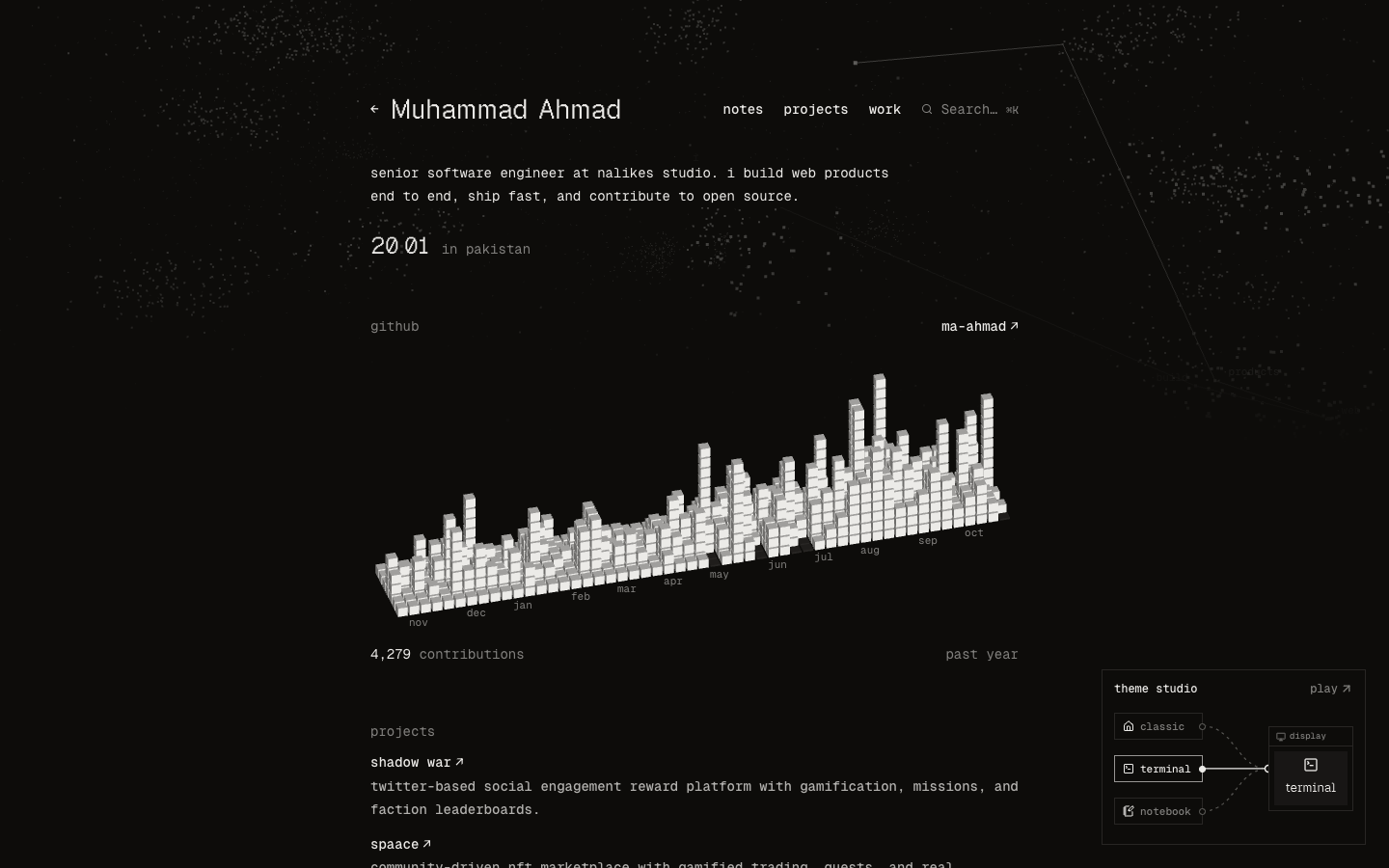
I didn't want people to hunt for the playground, so a small live copy of it sits in the bottom-right corner of the home page, the terminal theme and the notebook theme (on desktop). It plugs in one theme after another, and one click opens the real thing.
Source code
{% github MA-Ahmad/myPortfolio %}
If you like it, a star ⭐ really helps. What should I plug into the display next? Tell me in the comments 👇